
- 3D Designing Courses
- Accounting and Finance Courses
- Auto Desk Courses
- Business Courses
- Digital Graphic Designing Courses
- eCommerce Courses
- Freelancing Courses
- Garments Designing Courses
- Hardware and Software Courses
- Networking Courses
- On Campus Courses
- Online Live Course Training in Sialkot
- Other Courses
- Programming Courses
- Web Development Courses


Freelancing with Accounting Data Entry - Computer Short Course Coaching in Sialkot Pakistan
Original price was: ₨ 15,000.₨ 12,000Current price is: ₨ 12,000.

Writing & Translation Freelancing Course
Original price was: ₨ 15,000.₨ 12,000Current price is: ₨ 12,000.
-20%
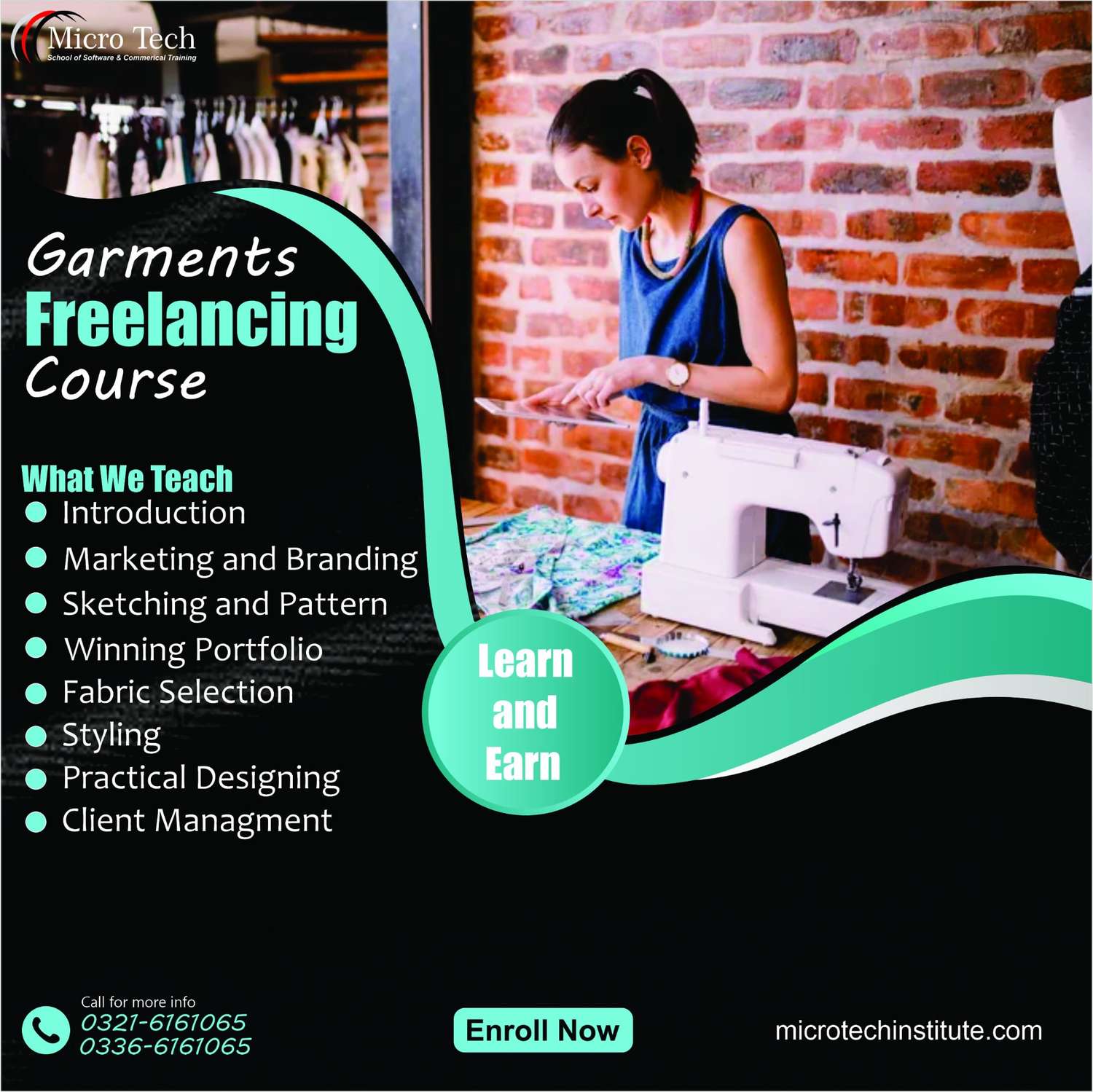



Freelancing with Garments Designing – Computer Short Course Coaching in Sialkot Pakistan
Original price was: ₨ 15,000.₨ 12,000Current price is: ₨ 12,000.
Freelancing with Garments Designing – Computer Short Course Coaching in Sialkot Pakistan
9333 in stock
Description
👚 Benefits of the Freelancing with Garments Designing Course at Microtech Institute
✍️ Acquire Professional Garment Design Skills
Learn to use Adobe Illustrator tools: vector drawing, fills & strokes, symbols, pattern effects, and precise object transformations. :contentReference[oaicite:0]{index=0}
🎯 Start Freelancing & Earn Online
Guidance on how to create profiles, build your portfolio, find clients, handle payments, and promote your services. :contentReference[oaicite:1]{index=1}
📐 Explore Vector & Typography Tools
Master pen tool, shape builder, pathfinder, type on path, wrapping & flow text. :contentReference[oaicite:2]{index=2}
🧵 Create Logos & Advertising Designs
Design logos, promotional ads, use clipping masks, and align with printing preparation for garment tags, branding etc. :contentReference[oaicite:3]{index=3}
💼 Build a Strong Portfolio
Projects included will help you build tangible work pieces to show to clients, improving your chances of freelance work. :contentReference[oaicite:4]{index=4}
Microtech Institute
Freelancing with Garments Designing – Computer Short Course / Coaching
Course Outline
Course Modules
- Adobe Illustrator Basics & Workspace
- Workspace setup, panels, interface customizations
- Shape & Drawing Tools
- Pen tool, freehand drawing, shapes, brush tools, pattern fills
- Transformations & Effects
- Scaling, distortion, rotation, symbols, blending modes, transparency
- Typography & Text Effects
- Type on path, wrap text, flow text, using fonts for branding
- Logo & Ad Design
- Design logos, advertisements, clipping masks, and image trace usage
- Freelancing Foundations
- Portfolio creation, client outreach, earning online, handling feedback and revisions
Projects & Practical Tasks
- Logo Designing Project
- Design a logo for garment brand including name, tag & mock up presentation
- Advertisement Design Project
- Create social media ad artwork for T‑shirt sale, using typography and image masking
- Pattern / Graphic for Garment Print
- Design a repeatable pattern or graphic element that can be used on fabric prints (t‑shirts, hoodies, etc.)
Entry Requirement
Minimum education: Matric (10th grade) :contentReference[oaicite:5]{index=5}
What Is Garments Designing for Freelancing?
Garments designing for freelancing means using digital design tools to create graphics, logos, patterns, and other artwork for clothing. You can work with clients locally or internationally, deliver digital files ready for print, and make income by selling your design services online.
Course Objectives
Students in this course can expect to learn to:
- Work efficiently in the Adobe Illustrator environment with various modes, panels, and settings.
- Use the full range of shape drawing and freehand drawing tools to build illustrations.
- Apply fill and stroke colors to objects created with the drawing tools.
- Develop attractive illustrations using advanced selection, organization, and drawing tools.
- Use the full range of transformation and distortion tools to accurately modify objects’ shapes.
- Draw accurate vector objects using the Pen tool and its associated features.
- Use the various type tools, and apply wrap, flow, shape, and path modifications to typography.
- Design an advertisement using appropriate typography, drawing tools, and a clipping mask to contain the art within a shape.
- Align multiple objects with the Align panel and create complex shapes from simple objects with the Pathfinder panel and Shape Builder tool.
- Design a logo using the appropriate tools and features covered throughout the course.
Freelance Designer Courses – Adobe Illustrator – Earn Money Work Online
Unit 1: Customizing the Workspace
Unit 2: Using symbols
- Understanding pixel-aligned paths
- Working with Symbols
- Symbolism tools and sets
Unit 3: Creating Web graphics
- Pixel perfect
- Utilizing slices and image maps
- Utilizing SVG
- Creating animations
Unit 4: Using Color tools
- Color Groups
- The Kuler panel
- Pantone Plus libraries
- Color adjustments
Unit 5: Painting tools
- Creating and using brushes
- Creating and using patterns
- Transparency and blending modes
- Creating and using meshes
Unit 6: Working with Images
- Using Image Trace
- Perspective drawing
Unit 7: Type styles & effects
- Creating type on a path
- Scaling and rotating type
- Working with fonts
Unit 8: Creating special effects
- Working with effects
- Exploring Stylize effects
- Creating and applying graphic styles
Unit 9: Printing
- Setting up documents for printing
- Preparing artwork for printing
- Printing transparent artwork
- Overprinting, trapping, and presets
Freelancing Steps
- What are source websites for freelancing?
- How to be registered on them?
- How to Start Work on these website?
- How to Make your Portfolio and start Selling your services?
- What medium of receiving payments should be used for Online Freelancing?
- How to promote your profile to get more clients?
- How to handle inquiries and claims?
- At least Matric
Reviews (0)
Shipping & Delivery







Reviews
There are no reviews yet.